PRIVATE CONTENT AREA
HOW TO USE THE GPT
Custom GPT
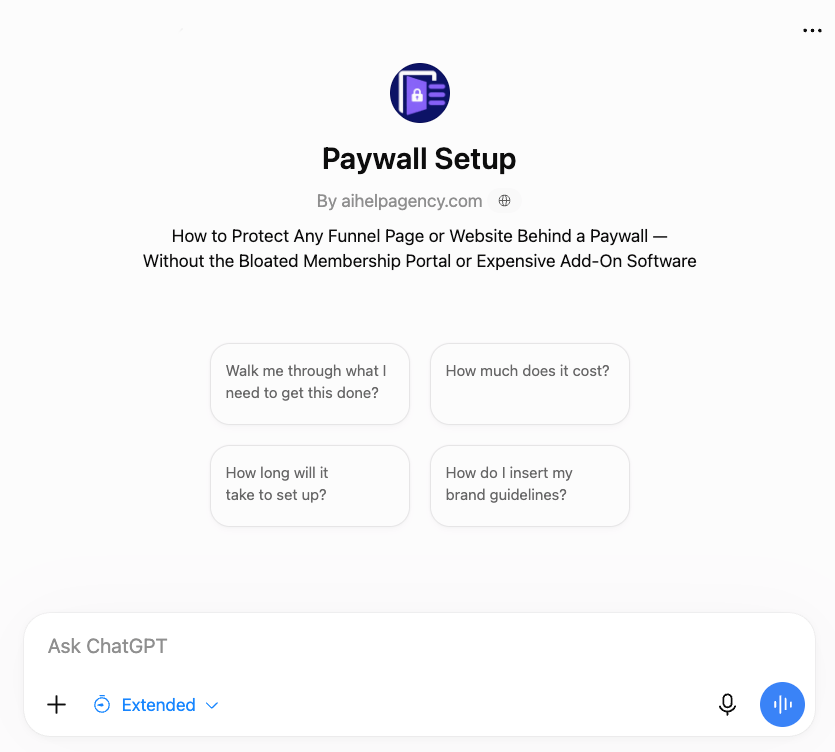
The Paywall Setup GPT was built specifically to help you create this GHL exact paywall system—nothing else.
Tell it where you are in the process by uploading screenshots, and let it walk you through each step.
Writes the code you need
Helps customize to your brand
Troubleshoots errors
HOW TO USE THE Knowledge Base
Knowledge Base Files
The Knowledge Base contains the setup, code, structure, and troubleshooting information behind the GPT.
Download it if you want your own ChatGPT, Claude, or another capable AI to help you build the system.
Use it with your preferred AI
Hand over to your VA
Customize your own permanent copy
THE MAGIC LINK SYSTEM
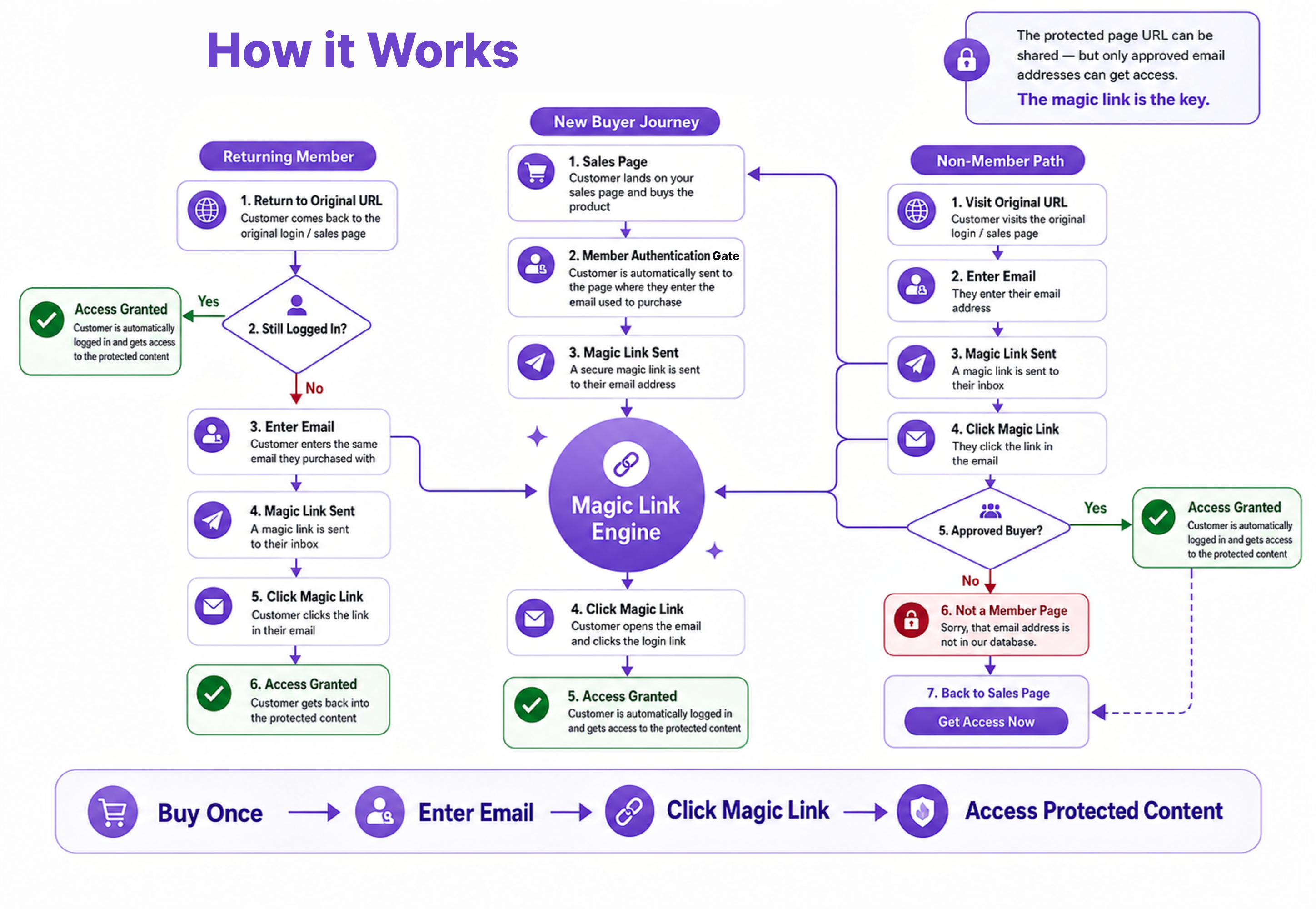
How it Works
This diagram shows the full buyer and non-buyer journey from purchase to protected access.
To build this simple magic link login system, you only need the 3 things listed below.
3 GHL funnel pages. Purchase, protected, access denied.
Supabase Account. Free up to 50K users.
Resend Account. Free up to 3K emails per mo.
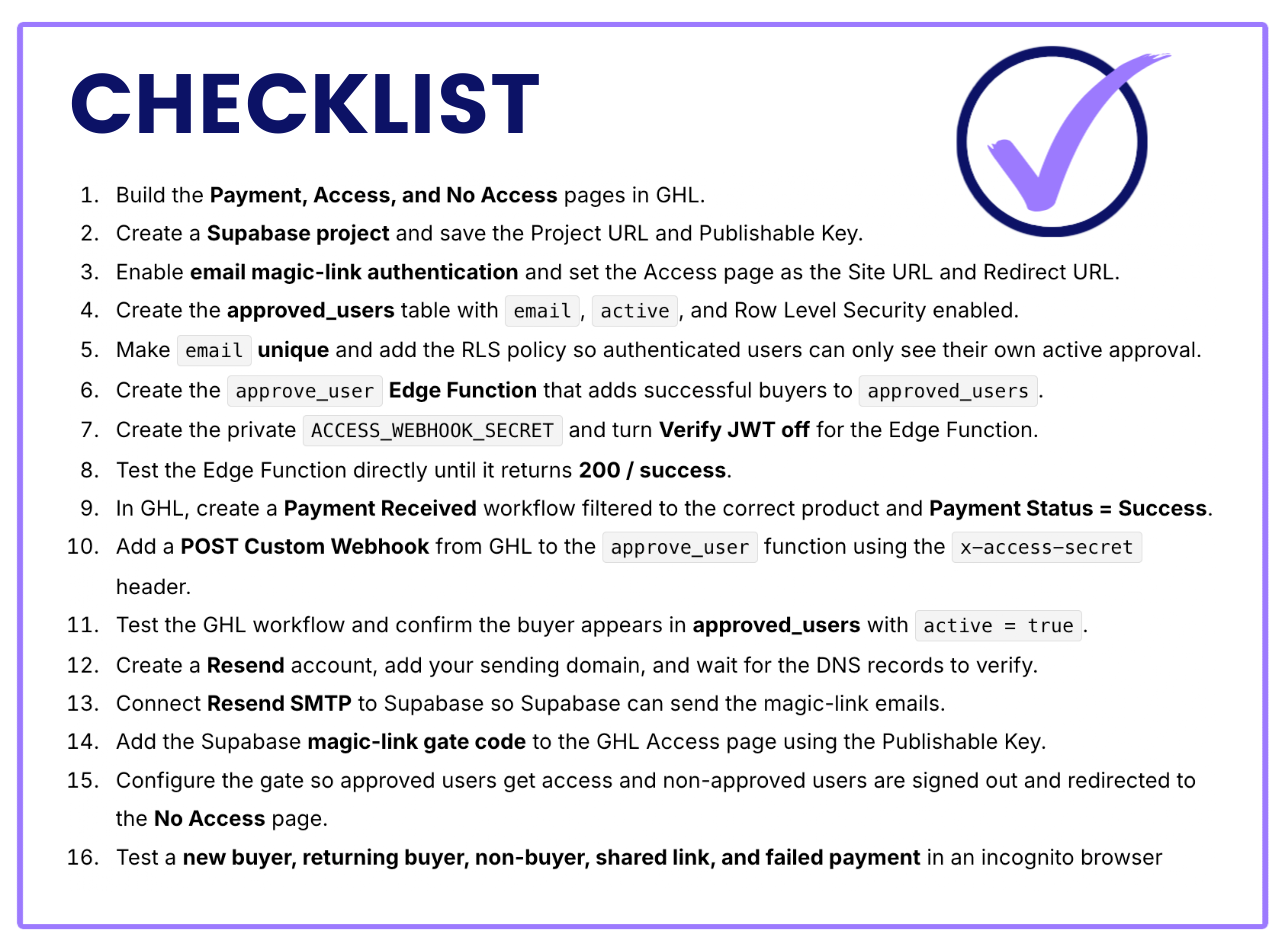
COMPLETE THIS PROCESS
Setup Steps
If your product and pages are already in place, plan on about 1–2 hours to connect the full system.
Follow the steps in order and you’ll have the core pieces working together with minimal troubleshooting.
Your GHL product + 3 pages are ready
Supabase handles approvals + authentication
Resend delivers the magic login links
EXCLUSIVE OFFER
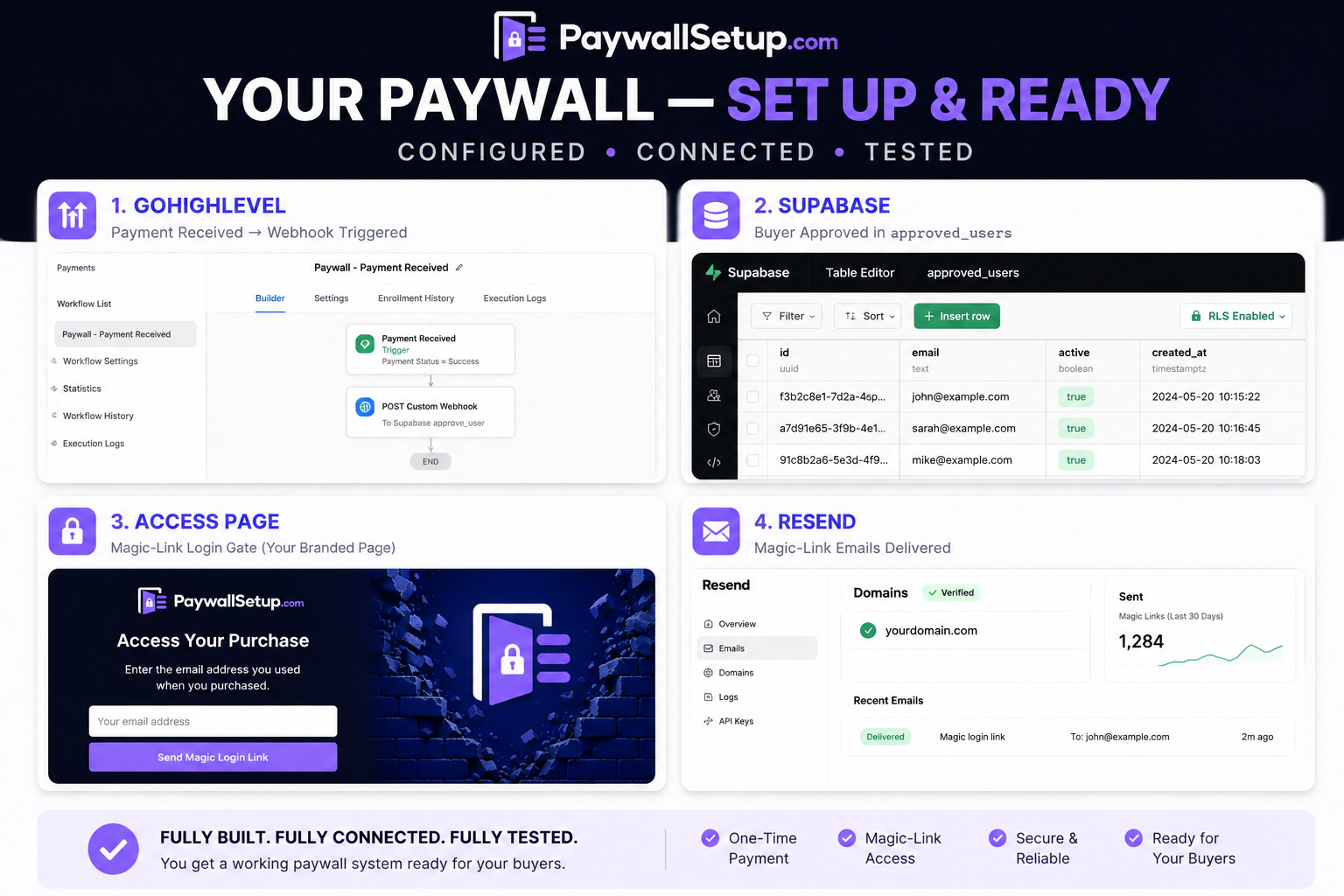
HANDS OFF
Done For You
If you’d rather skip the setup, troubleshooting, and technical back-and-forth, I can build the entire access system for you.
You keep working on your products and sales. I’ll come into your existing GoHighLevel setup, connect everything, test it, and hand it back ready to use.
Supabase access-control system
Magic-link login + Resend email delivery
GHL payment-to-access automation
CHECK IT OFF YOUR LIST
Complete Setup
A painless and certain way to sell one-time or membership products completely inside GHL funnel pages.
Supabase project, database, security & Edge Function
Resend domain + SMTP connection
GHL payment authentication workflow
Magic-link gate installed on your Access page
No Access redirect configured
End-to-end testing
Handoff video + member-management SOP
7 days of support
Turnaround: 3–5 business days
Limited Availability
One-Time Payment $497
After checkout you will be taken to a short intake form with your next steps. Shortly after we will have a 15-minute project kickoff call.
STILL NOT SURE IF YOU NEED IT DONE FOR YOU?
Frequently Asked Question
What do I need to have set up before we start?
You’ll need a domain name and three pages: a Purchase Page, a Protected Content Page, and a No Access Page. You’ll also need free/active Supabase and Resend accounts. They’re quick to create, and I’ll give you simple instructions so I can access them and complete the setup.
How do I manage who has access?
Your approved users are managed inside Supabase. From there, you can see who has access, manually approve someone, revoke access, or correct a customer’s email.
Will this work with any website?
The access-control system can be adapted to different websites and use cases, including one-time digital products and recurring access. This particular done-for-you setup is built around GoHighLevel, so other platforms may require a different implementation.
What if I don’t have GoHighLevel yet?
No problem. Use my GoHighLevel signup link and I will help you get the basic account structure in place so we can install the access system.
Do I need to know how to use Supabase or Resend?
No. You’ll create and own the accounts, but I handle the technical setup inside them. I’ll also give you a simple handoff showing you the few things you may need to manage later.
What if I need a little help getting everything ready?
That’s fine. If you need minor help connecting your product, pages, domain, or GoHighLevel settings so the system can work properly, I can help get those pieces into place. If something requires a larger build, we’ll talk about it first.
Do I still own everything after you set it up?
Yes. Your GoHighLevel, Supabase, Resend, domain, customer data, workflows, and authentication system stay under accounts you own and control.

Access Your Purchase
Enter the email address you used when you purchased.