Protect Any Funnel Page or Website Behind a Paywall — Without the Bloated Membership Portal or Expensive Add-On Software
THE MAGIC LINK SYSTEM
How it Works
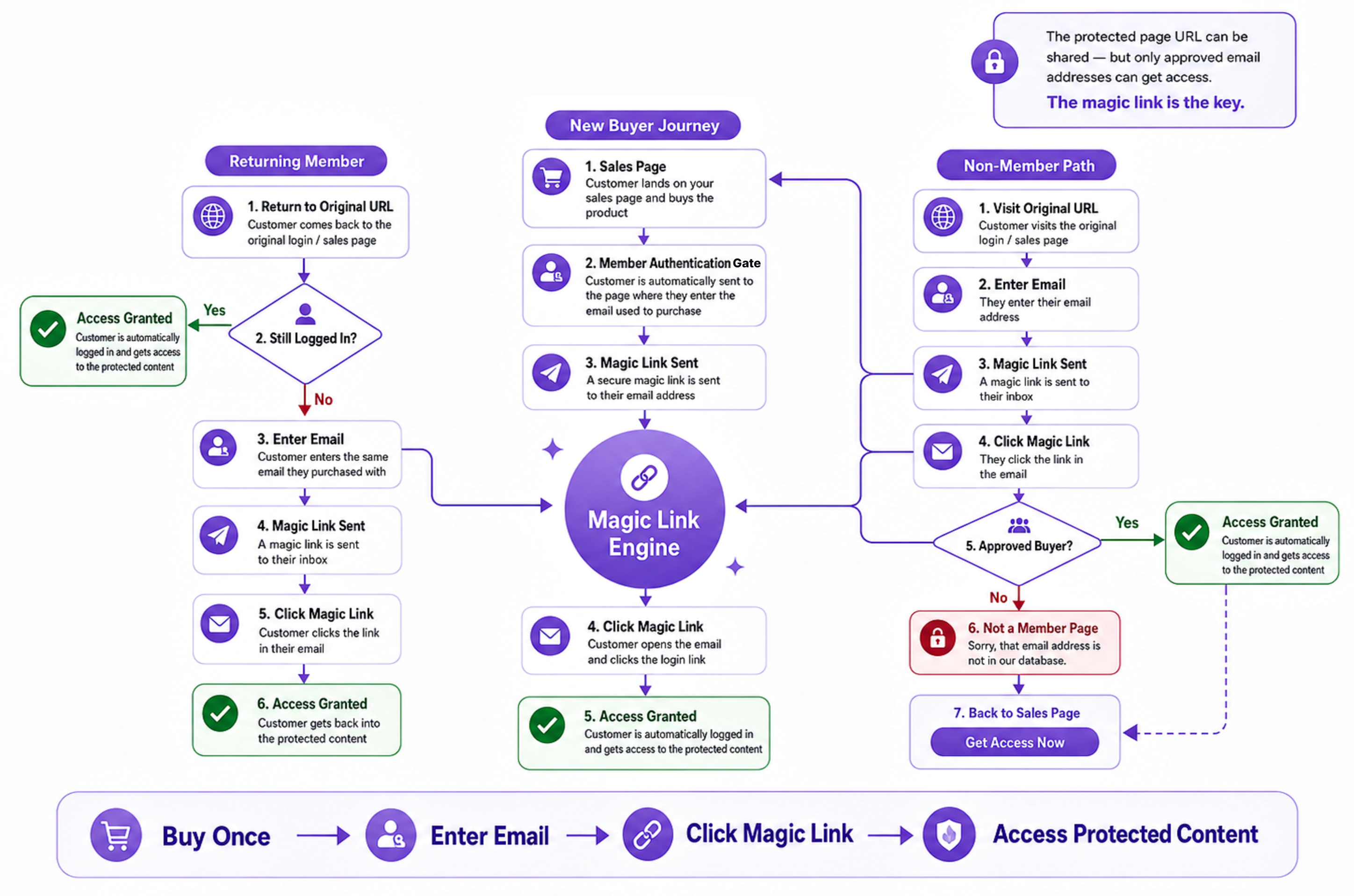
This diagram shows the full buyer and non-buyer journey from purchase to protected access.
To build this simple magic link login system, you only need the 3 things listed below.
3 GHL funnel pages. Purchase, protected, access denied.
Supabase Account. Free up to 50K users.
Resend Account. Free up to 3K emails per mo.
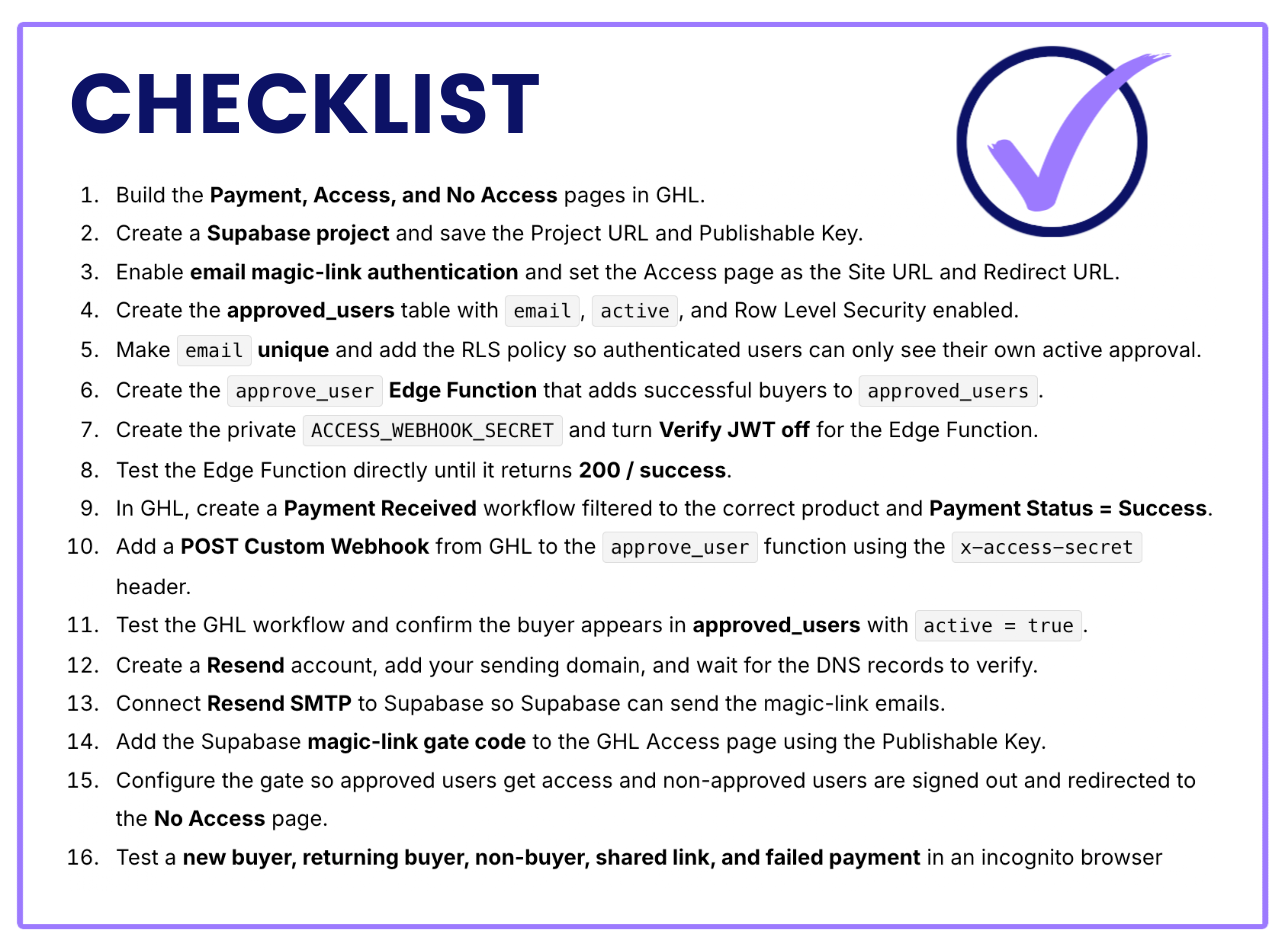
COMPLETE THIS PROCESS
Setup Steps
If your product and pages are already in place, plan on about 1–2 hours to connect the full system.
Follow the steps in order and you’ll have the core pieces working together with minimal troubleshooting.
Your GHL product + 3 pages are ready
Supabase handles approvals + authentication
Resend delivers the magic login links
Get Access to Help
Set up your paywall correctly and fast with my Custom GPT, trained for one purpose: to help you build this exact Paywall Setup, one screenshot at a time.
I packed in everything I learned—plus the mistakes, fixes, and troubleshooting—so you don’t have to waste days figuring it out alone... like me :(
Prefer to use your own AI?
No problem. You’ll also get the exact system prompt and the full knowledge base file so you can upload everything into ChatGPT, Claude, or another LLM.
You get:
The Paywall Setup GPT
Knowledge Base File (PDF + Markdown)
System Instruction Prompt
It’s all behind this $5 paywall.
And the best part? After purchase, you’ll go through the exact buyer and login process yourself, so you can see the system in action from start to finish.


HOW TO USE THE GPT
Custom GPT
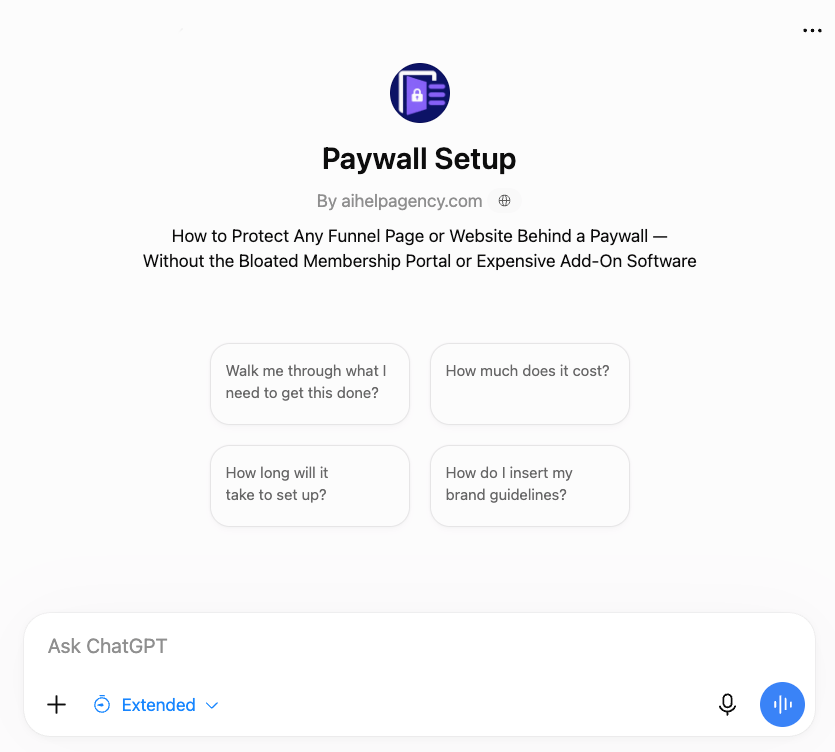
The Paywall Setup GPT was built specifically to help you create this GHL exact paywall system—nothing else.
Tell it where you are in the process by uploading screenshots, and let it walk you through each step.
Writes the code you need
Helps customize to your brand
Troubleshoots errors
HOW TO USE THE Knowledge Base
Knowledge Base Files
The Knowledge Base contains the setup, code, structure, and troubleshooting information behind the GPT.
Download it if you want your own ChatGPT, Claude, or another capable AI to help you build the system.
Use it with your preferred AI
Hand over to your VA
Customize your own permanent copy
Frequently Asked Questions
Do I need to know how to code?
No. You’ll mostly copy, paste, take screenshots, and let the GPT or your preferred AI walk you through the setup.
What exactly do I get for $5?
Access to the custom GPT plus the Knowledge Base File used to train it. Either of these things is designed to keep the AI on task and walk you through the exact setup. The GPT is ready to use. The Knowledge Base file needs to be uploaded with the prompt we give you to any LLM.
How long does setup take?
If your GHL checkout and domain are already in place, plan on roughly 1-2 hours.
Can I customize the login page and magic-link email?
Yes. The GPT can help you Yes. The GPT can help you customize the branding, copy, image, colors, and email messaging. the branding, copy, image, colors, and email messaging.
Can I add or remove access manually?
Yes. Approved users are managed in Supabase.
How much do Supabase and Resend cost?
You can start with both for $0/month.
Supabase Free: up to 50,000 monthly active users. Free projects can pause after about a week of inactivity; Pro currently starts at $25/month and does not pause for inactivity.
Resend Free: up to 3,000 emails/month with a 100-email/day limit. Pro currently starts at $20/month for 50,000 emails with no daily limit.
For a small digital-product business, the free tiers should provide plenty of room to get started.
Can I still use my normal GHL checkout?
Yes. Your products, prices, coupons, order bumps, payment methods, receipts, and other normal GHL features keep working as usual.
Can I use this on more than one funnel?
Yes. You can create multiple Supabase projects for different funnels.
If you use the same Supabase project across multiple funnels, access will be shared across those funnels. If you want access kept separate, use a separate Supabase project.
What happens if something breaks?
The GPT is trained on the setup and the problems encountered while building it, so you can give it screenshots or error messages and have it help troubleshoot the system step by step.